TWO-SCREEN EXPERIENCE
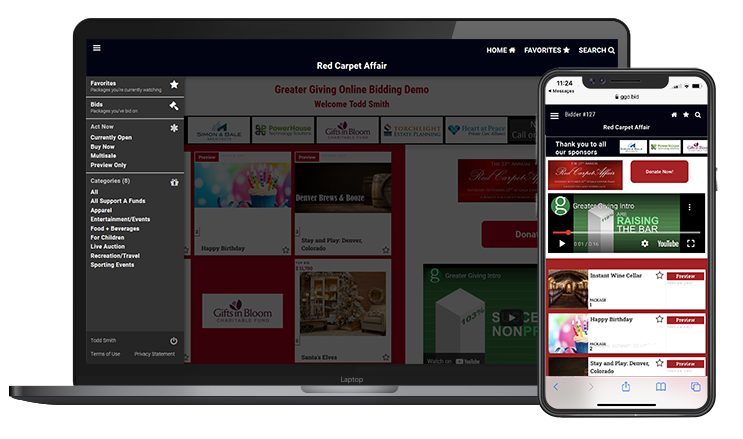
View the live stream event on your computer or TV
HOW TO BID
- When online bidding starts, you will receive a text message and an email with a link.
- Click the link to log in and go to the mobile bidding site. You can bid online with a smart phone, computer, or tablet.
- Click on an auction package to see its details. Underneath each package description you will find several bidding options:
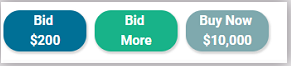
Bid - Place a bid on the package at the default increment amount.
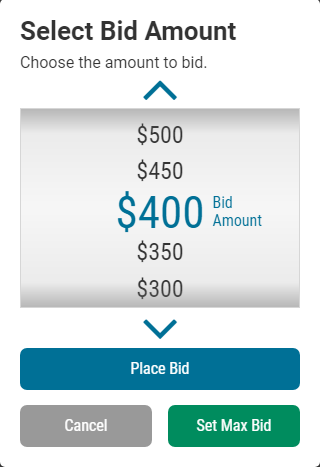
Bid More - Bid higher than the next increment or set a max bid. Use the bidding wheel to select your bid amount.
Buy Now - Select this option if you would like to purchase the package outright. (This option may not be available on some packages.)
- Set a maximum amount by selecting Bid More, then use the bidding wheel to select your Max Bid. The system will automatically place a bid on your behalf whenever someone bids against you, up to your Max Bid amount.
OTHER TIPS
- Add an auction package to your favorites by cli clicking the star icon on the top right of the page.
- Click the Menu button on the top left corner to quickly browse categories or view your favorites.
- Use the Search function to search by package name or number.
- Use the up arrow button to return to the list of auction packages you were previously viewing.
- Use the Home button to return to the home screen.